I’ve built two fully-functioning web apps so far. One is deployed to the web, the other will be soon. They both do things, and they both can take payments that go into my bank account. Each one took about a week of focused effort. Crucially, the second is way better and more valuable than the first.
In this section, I will teach you how to build your first web app without knowing a thing about programming or software.
Start with the best currently available LLM: ChatGPT. Literally, just tell it what you want your app to do. Just say the functional requirements from the user’s perspective, let the LLM decide the technical approach. Add things like: “Tell me exactly what to do, and in what order.”
It will generally start with an outline of the tasks. Save that outline somewhere, then go back and ask it to explain, in detail, each particular item, one at a time. Say things like “Tell me the exact files to create and where to place them” and “Give me all of the exact code I need to put in this file.”
One tip: At the outset, tell ChatGPT that you want to build your app using Replit. Replit is just a web platform for developers, it abstracts out all of the most annoying technical stuff you’re most likely to get snagged on using your own computer. With Replit and ChatGPT, you could have a functioning minimal prototype in an hour or less. Make a free account on Replit and just do what the LLM says. When you’re done on Replit, though, you can just export the entire codebase of the app (including all the technical background stuff you outsourced to Replit).
At that point, just tell ChatGPT for guidance on how to deploy your app to the web. I recommend Render, which is like Heroku but cheaper. You can start with free (though the app will go down when it’s not being used). Or you can pay $7/mo to keep your app humming on the web full time.
That’s pretty much it. If you hit any snag, or GPT tells you to do something you don’t understand, just ask it to explain that thing. If the app in Replit gives you error, just copy and paste the full error into ChatGPT.
You will occasionally fall into a dead end. A local maximum where no amount of additional asking will clear the way forward. You’ll know you’ve hit a wall when your requests for help start cycling: Try A. You try A and report the error. Try B, it tells you. You try B and report the error. Try A, it says… Once this happens a few times, stop. Delete your recent changes and go back to the last working version of the app, and just try a different approach to whatever you were originally seeking. Ask for it differently, perhaps lightly nudging it away from the errors you got on the first approach. “Give me the code I need to accept a payment through Stripe, but I do not want a complicated checkout process. Give me the simplest possible way to do this.” That kind of thing.
Finally, you may need to consult the docs of the APIs you wish to use. If GPT does not know the API well, you can often copy and paste into GPT key parts of the API docs. “Here is what a correctly structured API call looks like,” or “Here is what the response will look like…” If you don’t know what an API is, ask it. You can also ask it to recommend APIs.
As I shared with you many weeks ago, the first not-completely-trivial app that I built exclusively with ChatGPT is an app that will print and mail a letter to anyone in the USA. I updated it this week, by the way. I overhauled the design, added mobile responsiveness, and included an image of what the printed letters look like.
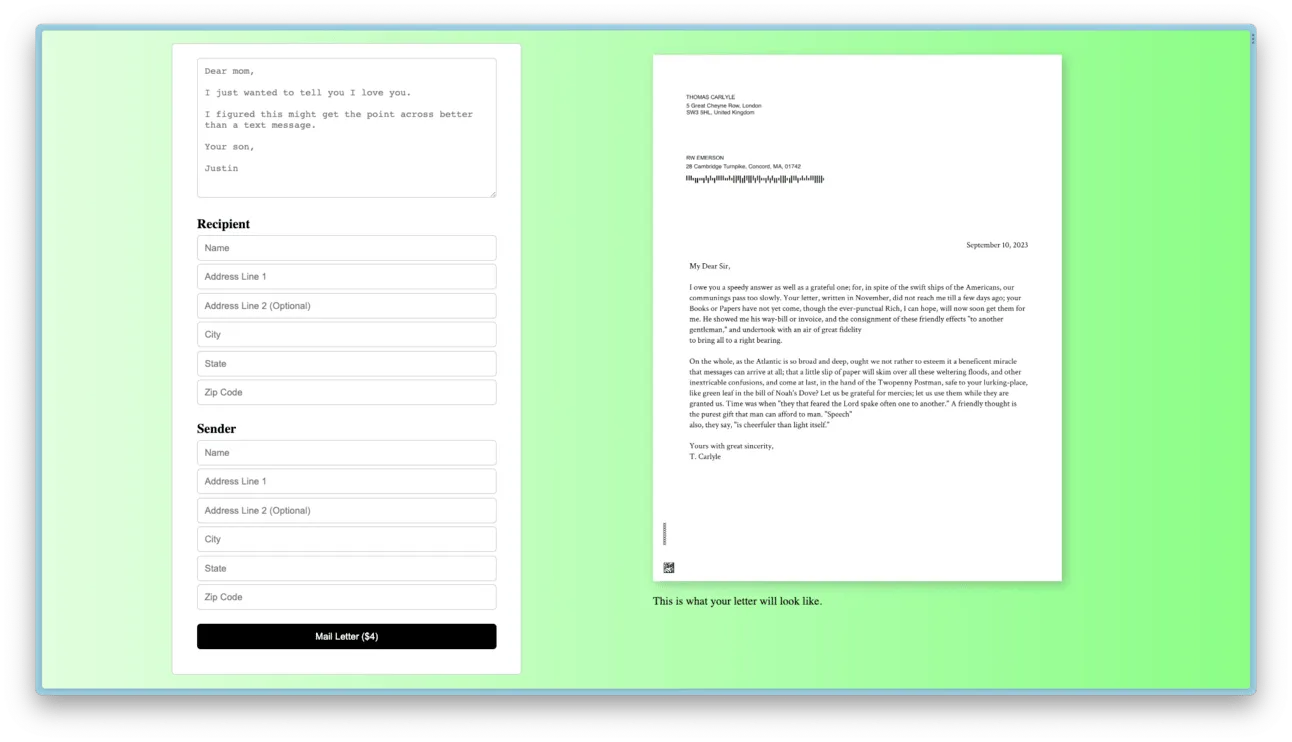
A Revolutionary New Way to Communicate with Loved Ones